Project Overview
The Product
My client manufactures medial devices and products. One of their devices is a LED based curing light used in doctor’s offices. The goal of this project was to create a mobile app to update these lights in office or on the manufacturing line.
Timeline
February 2023 – May 2023
The Problem
Because of an error in a version of the device’s firmware, new lights were being sent back to be serviced and new lights were not being shipped to customers because they need their firmware updated. The company needed a faster way to update devices in place.
The Goal
Design a mobile app that allows company representatives to:
-
Update devices on-site without requiring doctors to return them
-
Perform updates on the production line to avoid shipping delays
My Role
- UX / UI designer
Responsibilities
-
Interpreting user needs from internal research
-
Creating user flows based on technical constraints and business goals
-
Designing low- and high-fidelity prototypes
-
Addressing accessibility and platform differences (iOS/Android)
-
Leading visual design and responsive layout for mobile
UX Challenges & Pain Points
What We Needed to Solve
At the time of this project, there was no fast or convenient way to update the devices. Updates required shipping the equipment back to the manufacturer, which caused delays, added cost, and created frustration for customers and staff. The goal was to streamline this process with a mobile app that could be used on-site or in the factory.
Our Goal
Design a mobile app that company representatives can use to update device in-office. Representatives can go out and update devices without medical professionals needing to send the equipment back for repair.
Identifying Pain Points
Although I did not conduct the initial user research directly for this project, I was asked to help design a mobile app that would address the following pain points that had been identified.
Time
Because equipment needs to be shipped back for repair, there is a long period of time when they cannot be used
Efficiency
When devices are sent back for an update, it can slow down other repairs the company is working on
Cost
If there is an issue with new devices, they cannot be sent out to new customers. As a result, new sales are paused, impacting revenue
Solutions
Userflows
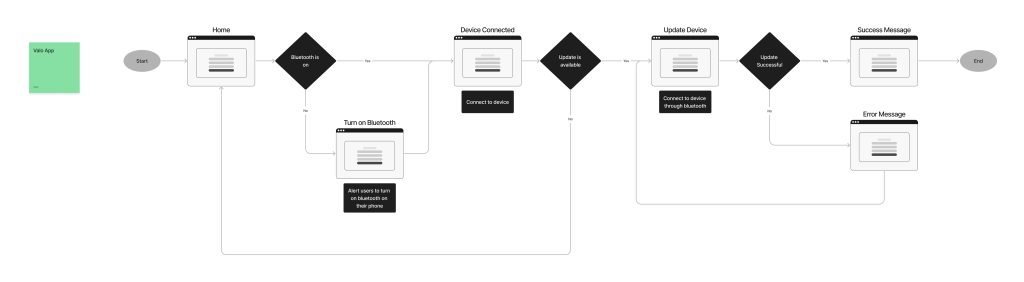
I started by working with stakeholders to understand the user’s needs and I created a userflow for the mobile app to address the pain points.
Mockups and Prototypes
Once we had a plan mapped out, I created low and high fidelity prototypes. Based on feedback, I made changes and iterated on the design. I designed screens for iphone and android in light and dark mode
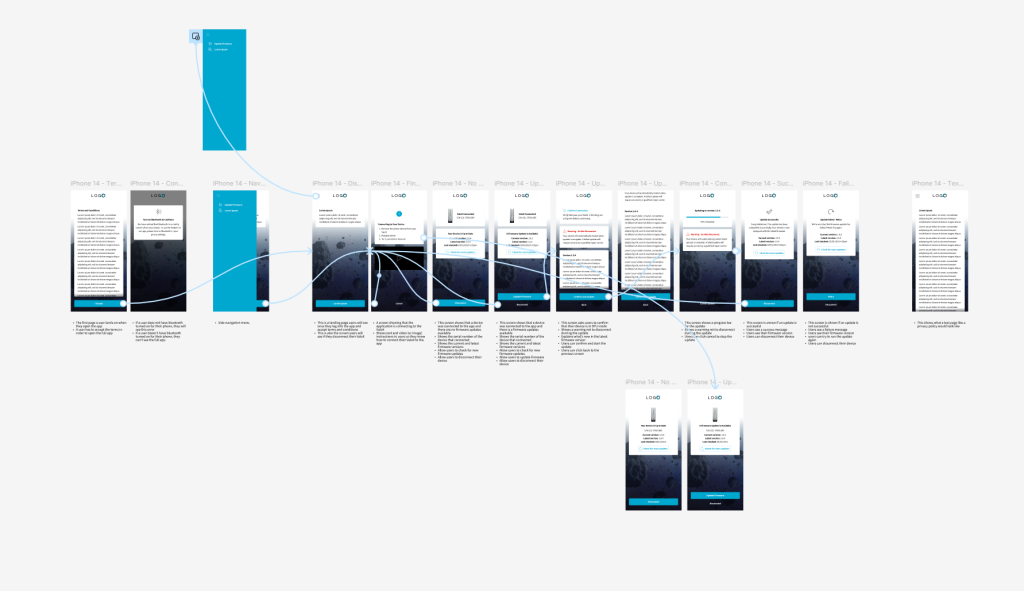
An example of a high fidelity prototype (for an iphone in light mode)
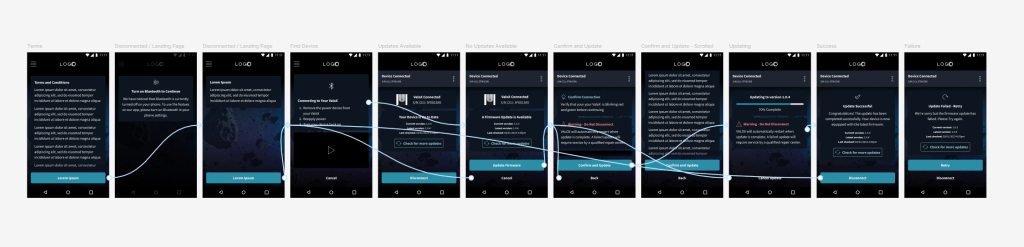
Another example of a high fidelity prototype (for an android phone in dark mode)
Accessibility
We wanted to make sure to consider accessibility with our design.
- I created designs for multiple screen sizes for the mobile app so it would be supported by iphone and android
- I evaluated the size and contrast for text to ensure legibility
- I designed a dark mode version of the application so the device can easily be used in different lighting situations
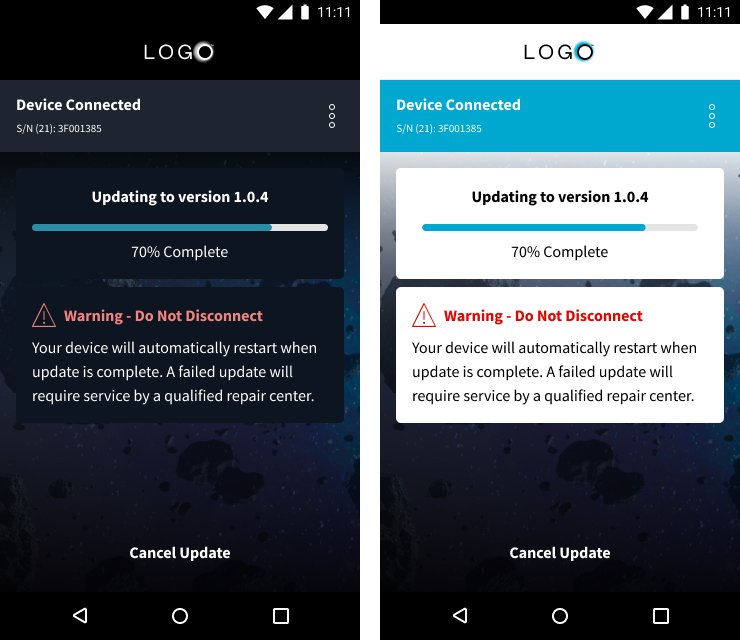
An example of one of the high fidelity screens in the app showing the difference between light mode and dark mode
Going Forward
Impact
This project is important for the company. It will save customers and employees time and worry. Customers will be able to get their devices serviced in office and manufacturing will be able to make update quickly so new devices can be sent out.
What I learned
Going into this project, most of my background was in designing web applications rather than mobile app design. As a result, designing a mobile app was a fun challenge. I was able to learn about mobile interaction and differences between android and apple devices.
Next Steps
The next steps would be to continue to conduct user research to identify any new point points or areas could be improved in future updates update.