
Background
My Role
UX & UI Designer
My Client
My client was a company who manufactures medical products. Within the US, customers can purchase products directly through the company’s website; however, outside of the US, products are sold through third-party distributors. For international customers, the company has a website where customers can find the distributors in their country.
The Problem
What We Wanted To Address
Users were struggling to navigate the page and to find distributors for their country, especially on mobile.
Our Goal
We wanted to make it easier for customers to find the distributor in their country and to improve the mobile experience.
Identifying Pain Points
I interviewed stakeholders and conducted informal usability tests. I observed two main pain points:
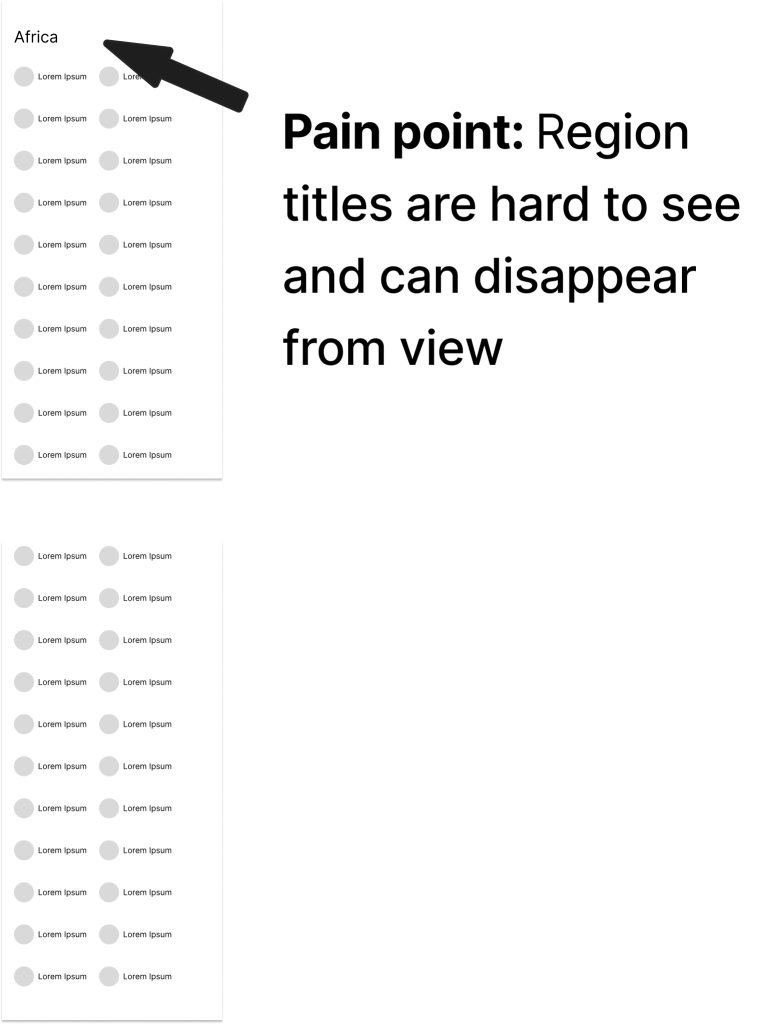
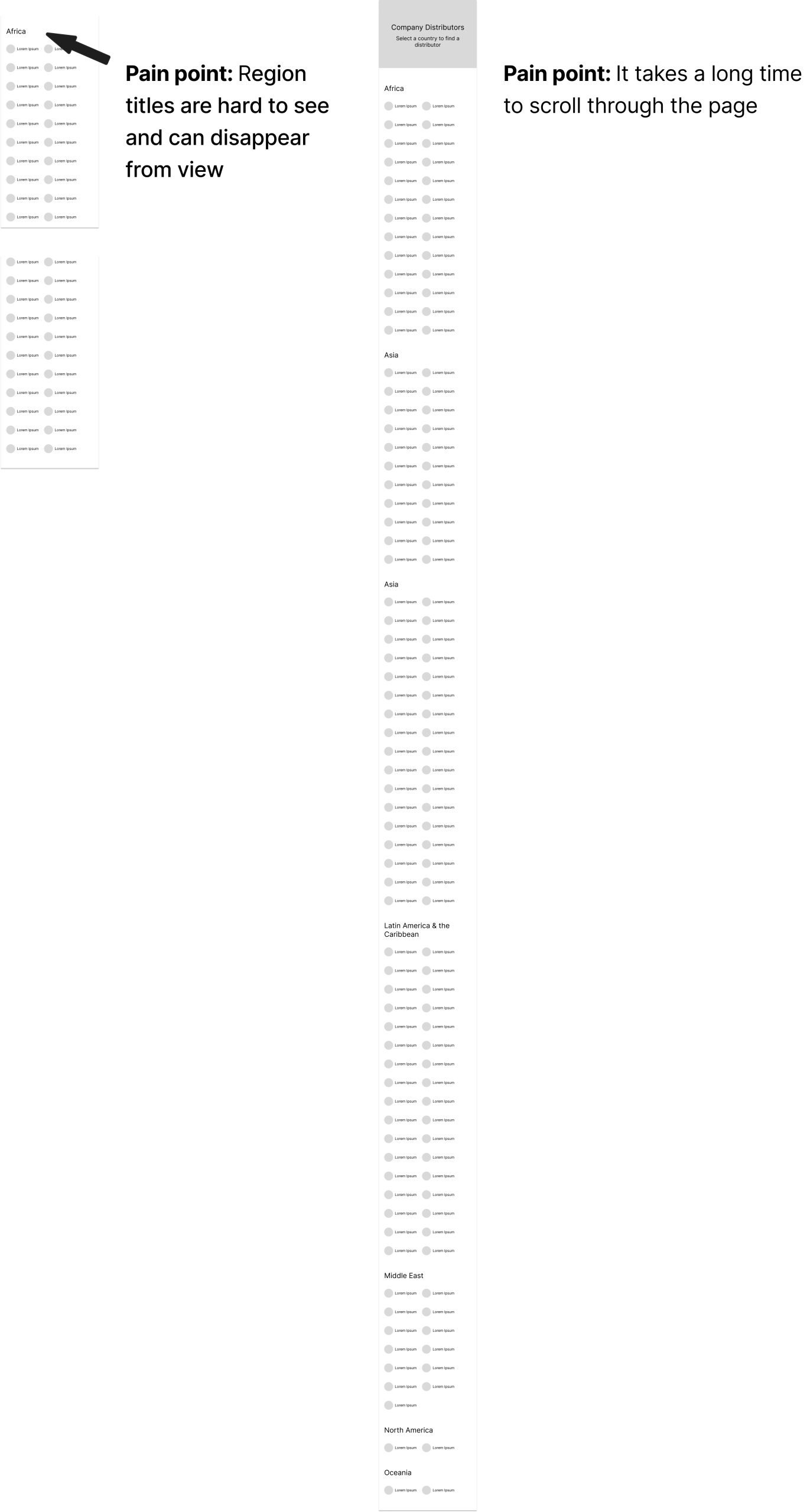
- Once users navigated to the correct page, they would need to select their country. The countries were divided into alphabetized lists by region. On mobile, region headings were not always visible as a user scrolled down the page. As a result, some users thought they were looking at a full list of countries when they were looking at a single region, causing them to believe that country was not on the page.
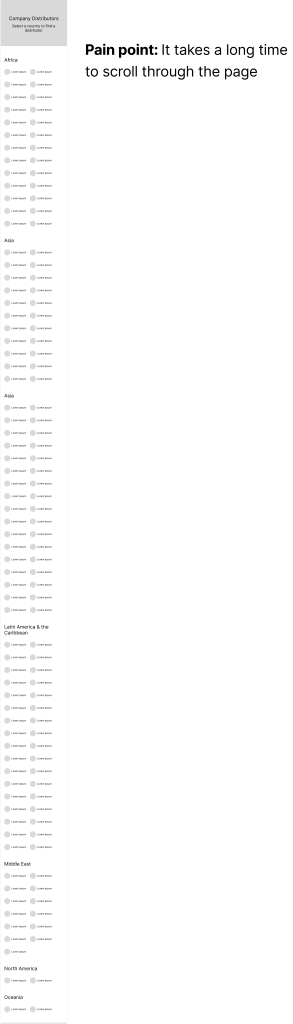
- Because there were many countries in the list, it took users a long time to scroll through the page. This was especially challenging on mobile.
Hidden Headings
On mobile, users could not always see region headings, causing them to believe their country was not on the list.
Too Much Scrolling
It look users a long time to scroll through the page to find their country (especially on mobile).
A title
Image Box text
Solutions
How Could We Make This Better?
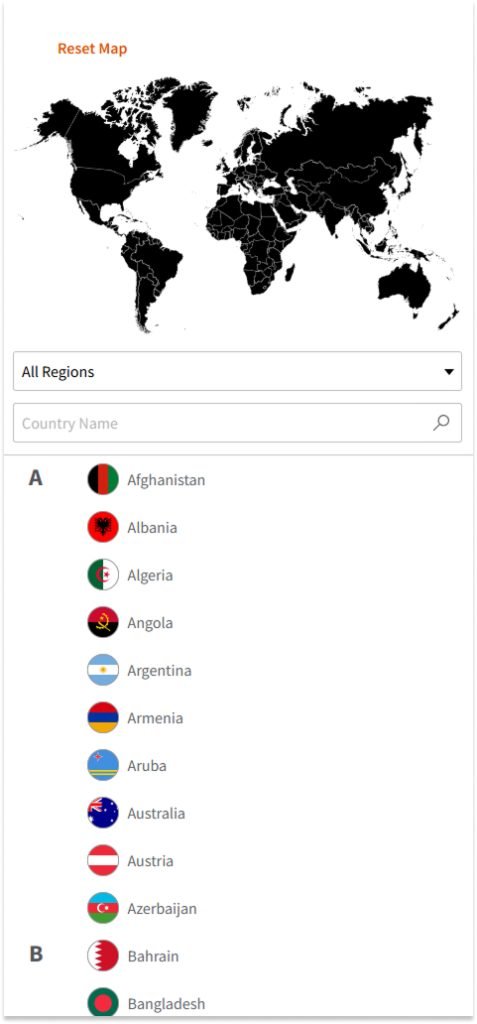
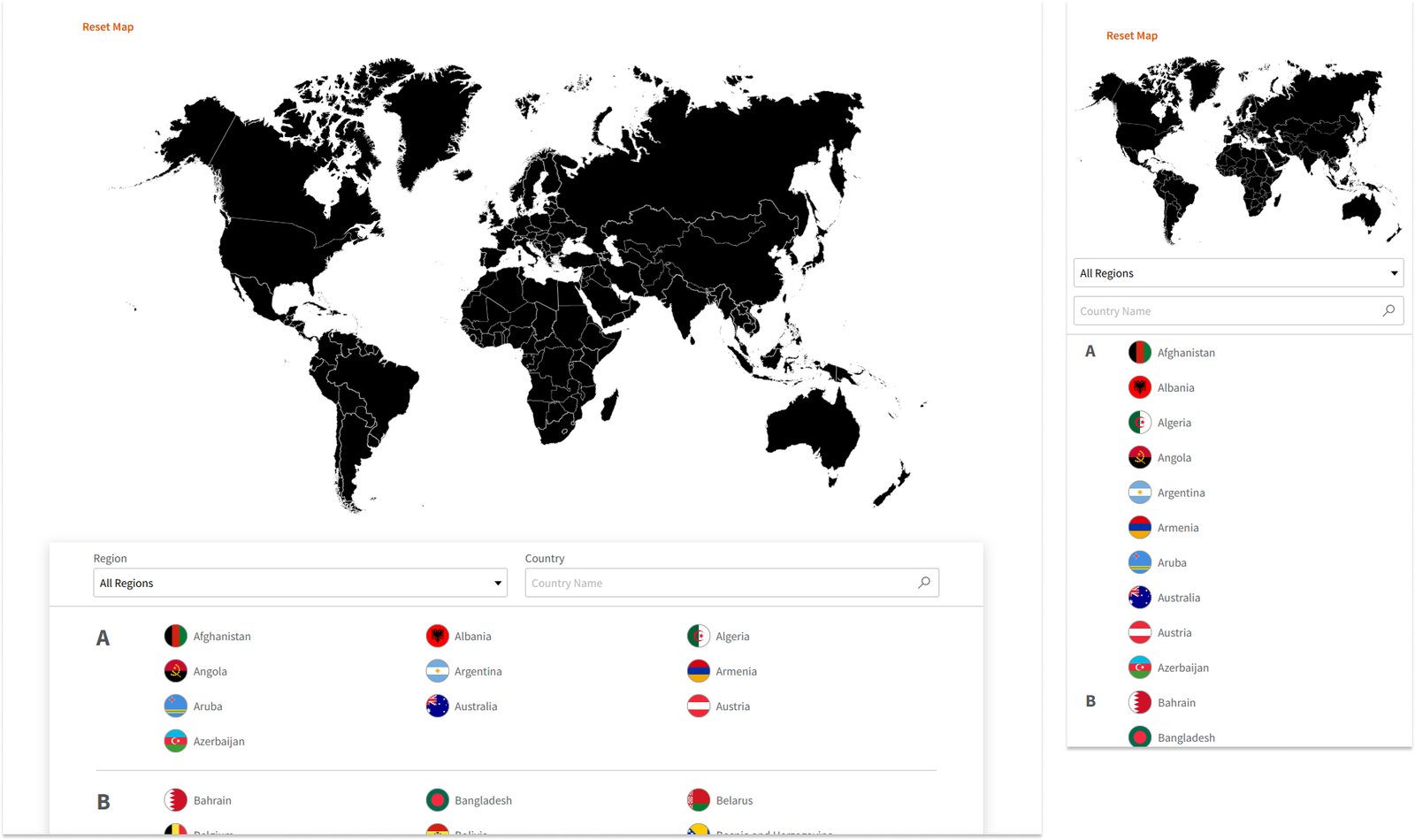
- The first approach was to model the country list like a phone contact list. All countries were moved into one alphabetical list. Users would be able to type into a search bar to filter down to their country.
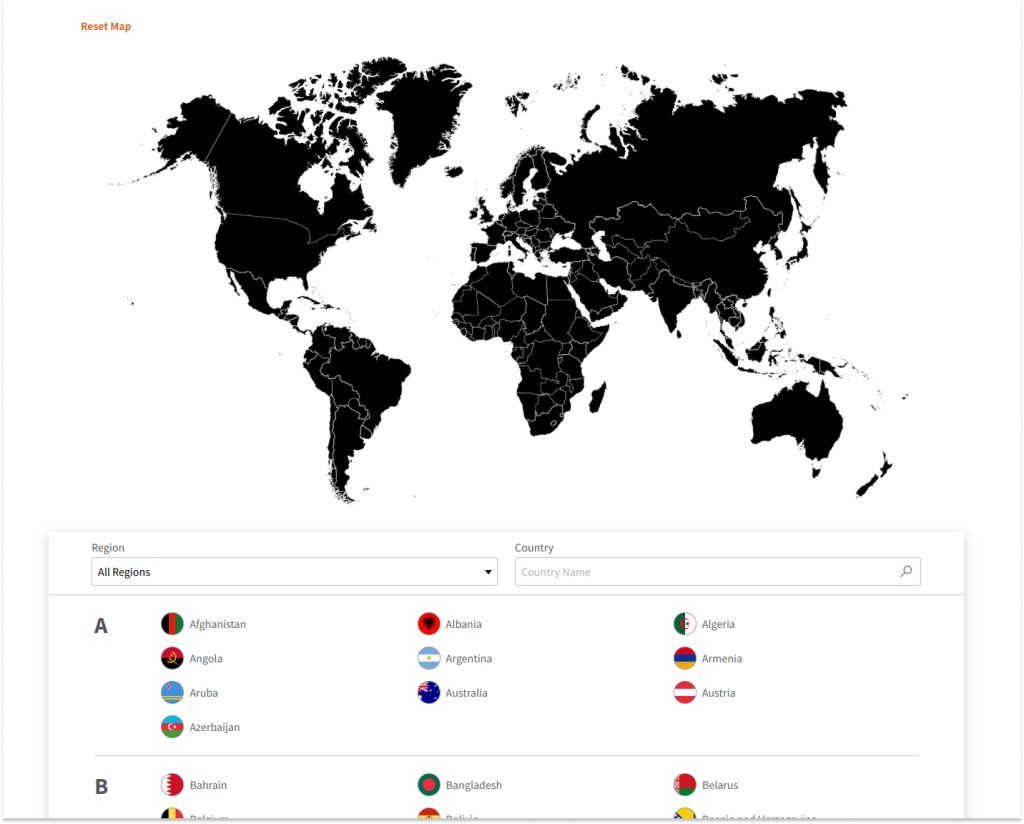
- The second approach was to make it more visual. Instead of scrolling to find a region, users would be able to click or tap on a map to filter the country list down to a particular region.
The Result
We decided to combine both solutions to give users the most control possible. In the current version, users are now able to type into a search bar, filter from a region drop-down, or select a region from a map.
A title
Image Box text