Project Overview
The Product
An online platform used by international sales partners in countries throughout the world to access sales and marketing resources
Project Duration
May 2023 – September 2023
The Problem
Event information for company events can be hard for international partners to find and the registration is being managed manually using excel files and google forms.
The Goal
Create a feature on the MyUltradent portal where international sales partners can view upcoming events and request to register and administrators can manage registration lists for events.
My Role
UX Designer
Responsibilities
- Communicate with stakeholders to understand requirements
- Creating low and high fidelity designs
Understanding the User
User Research
I assisted the project manager with user interviews with stakeholders to better understand the problem.
Pain Points
We identified three main painpoints we wanted to address:
Organization
Sales partners can have trouble finding information about events because there isn’t a central location for event management and managers have to keep track of information in multiple places.
Security
Personal information is being handled through google forms which multiple people have access to as well as manually through emails and over the phone.
Time
Right now the full registration process is being performed manually. Some portions of the process could be automated which would save time.
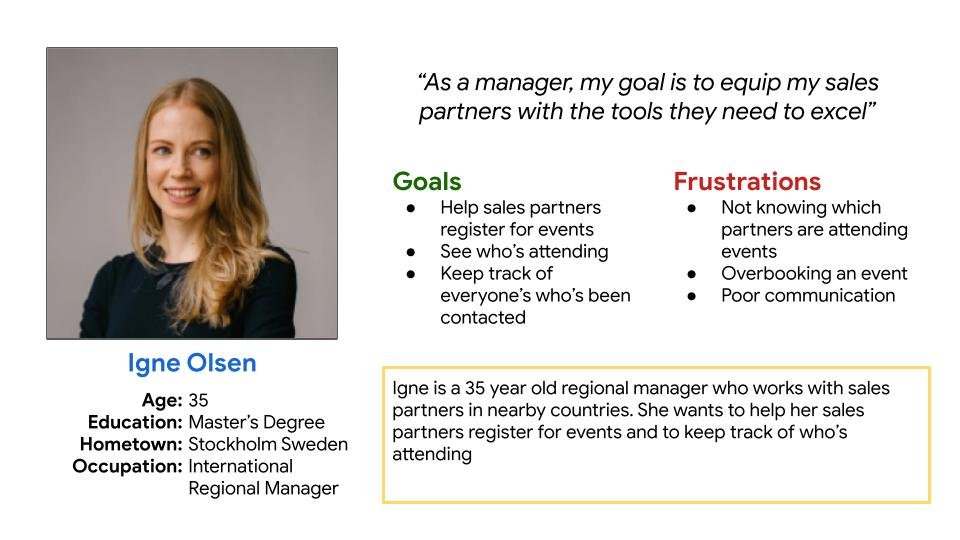
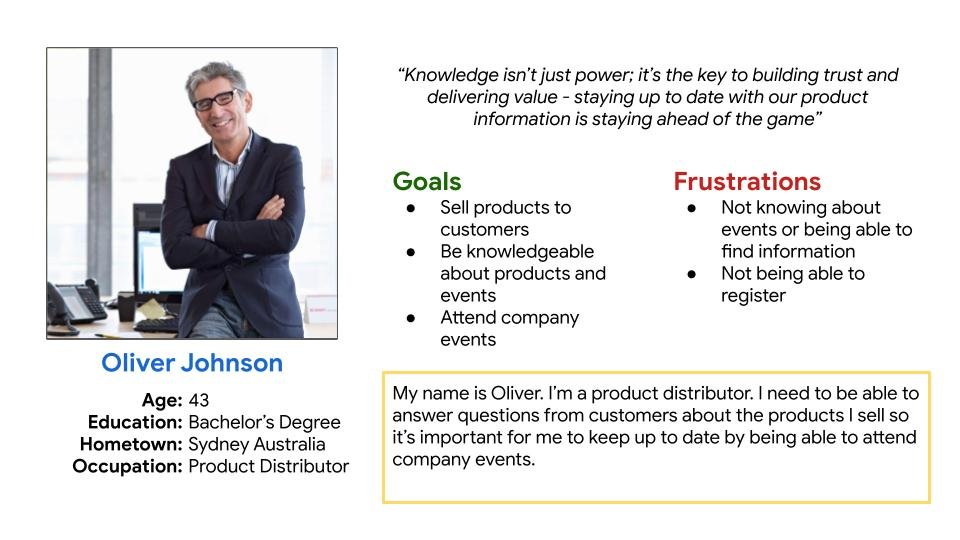
Personas
Based on our findings, I created two personas to represent our users.
Designs
Userflows
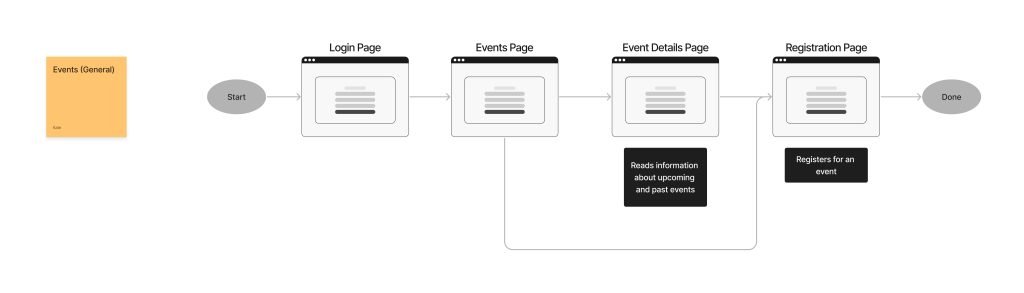
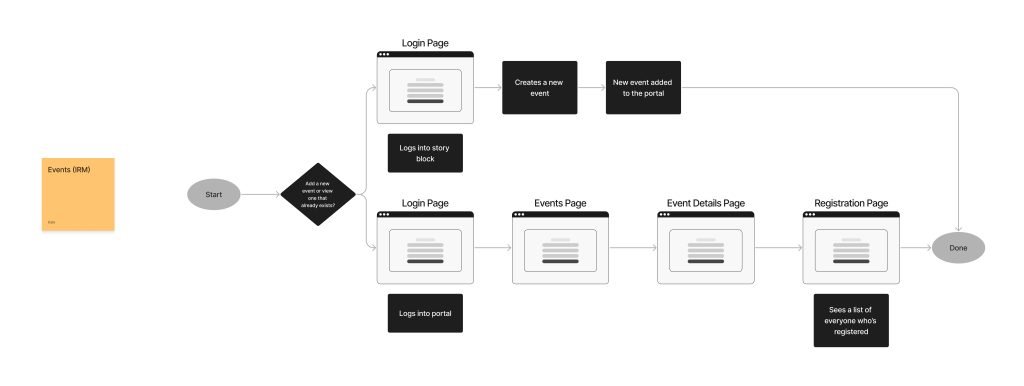
Based on our initial findings, we created requirements and userflow diagrams.
Mockups and Prototypes
Once we had a plan mapped out, I created low and high fidelity prototypes which we reviewed with stakeholders and users.
Partner View
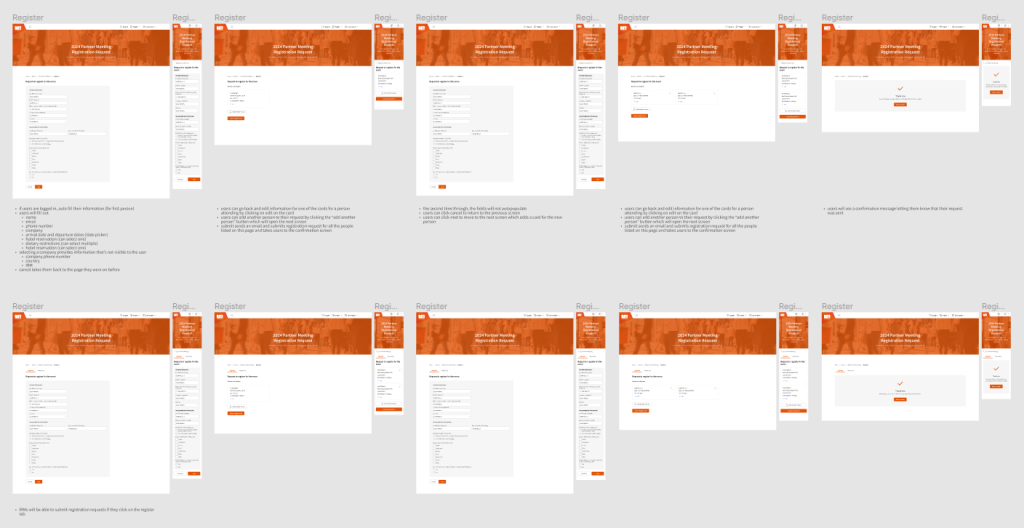
An example of one of the high fidelity screens a sales partner would see when they log into events
Manager view
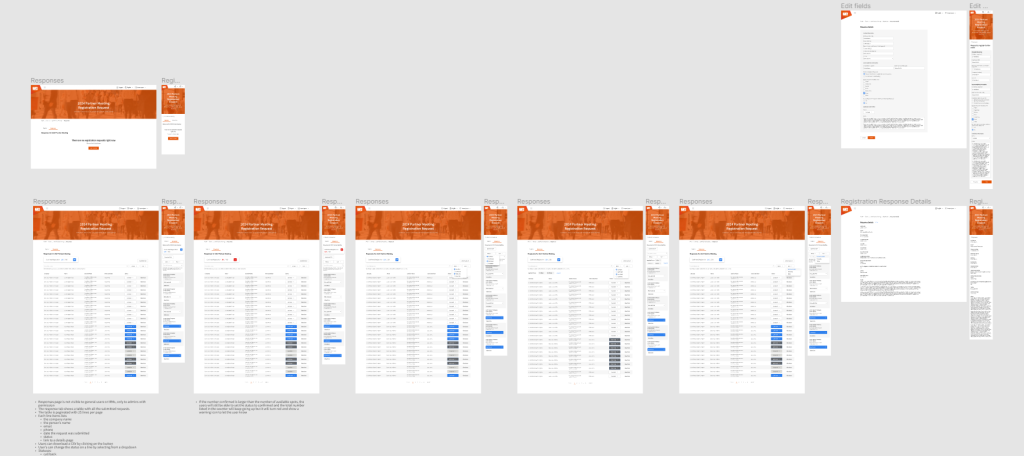
An example of one of the high fidelity screens a manager would see when they log into events
Usability Studies and Findings
We conducted interviews with stakeholders and users and iterated our designs based on feedback. Some of these updates included:
- Color coding registration status so it will be easier for managers to keep track of who’s registered
- Show a count at the top of the page to let managers easily see the total number of people registered for the event
- Show a warning if more people are registered than the total number of seats at the event
- Allow managers to view and edit registration information in case a sales partner submitted their information incorrectly
Accessibility
We want to make the portal accessible to as many individuals as possible.
- I designed for multiple screen sizes including desktop and mobile
- We reviewed all colors and font sizes to ensure legibility on all devices
- We are translating the page into multiple languages to allow for a global audience
Going Forward
Impact
The portal is currently used by sales partners in countries around the world. We hope that the new product training feature will help users find and access trainings by making it available in a system they are already familiar with.
What I learned
As a UX designer, seeking feedback from stakeholders is extremely important even though it can be challenging. This can be especially true when working with stakeholders in different countries and time zones who may speak different languages. Despite the challenges, feedback is paramount because their input can shed light on cultural nuances and regional preferences which will lead to a better.
Next Steps
Currently, the product training feature is being built by the development team. Once it’s completed, we will make the feature available to users. We hope to conduct user interviews to get feedback. It can be difficult to speak with users on the other side of the world who live in different time zones and sometimes speak different languages. Because of these challenges, we also plan to send out surveys and will monitor heat maps and analytics to look for usage patterns to identify any future pain points to address.